How to Use OnePost
← Back to ConsoleUpload a video or card news once and publish it across your connected social channels. The quick guide below includes screenshots. If you’re new to Reels, Shorts, or TikTok, see the Social Media Guide for Small Businesses as well.
- 1. Get Started
- 2. Clients
- 3. Connect Channels
- 4. Upload
- YouTube Community
- Video Production
- Billing
- Unsupported Channels
1. Get Started
1Sign In — Start with Google, Kakao, Naver, or Facebook.
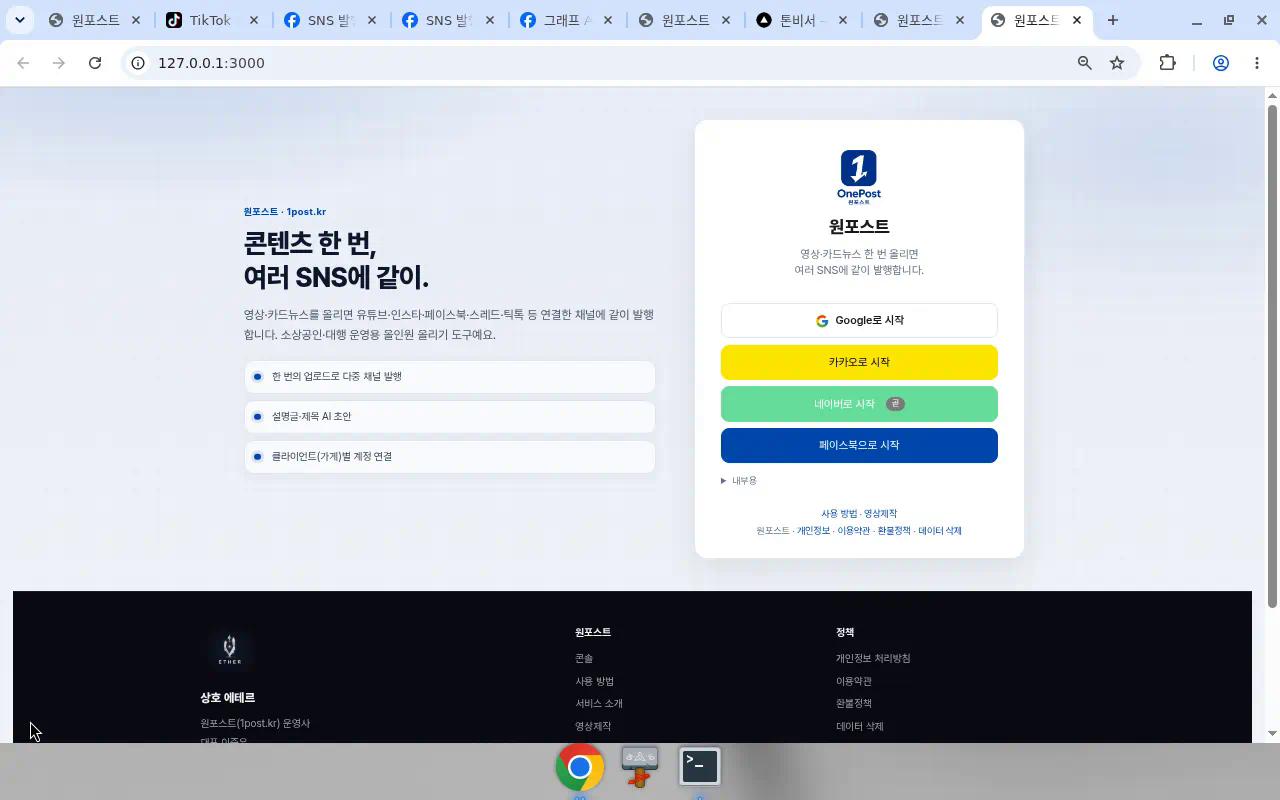
Sign-in screen with a service overview on the left and sign-in buttons on the right.
- The most common option is Continue with Google.
- Google verification is complete, so you can proceed without a warning.
- You can also sign in with Kakao, Naver, or Facebook from the same screen.
The internal email sign-in below is for admin testing.
2. Clients (Stores)
2Enter your store name on the left and add it. The selected store is the one you’re working on.
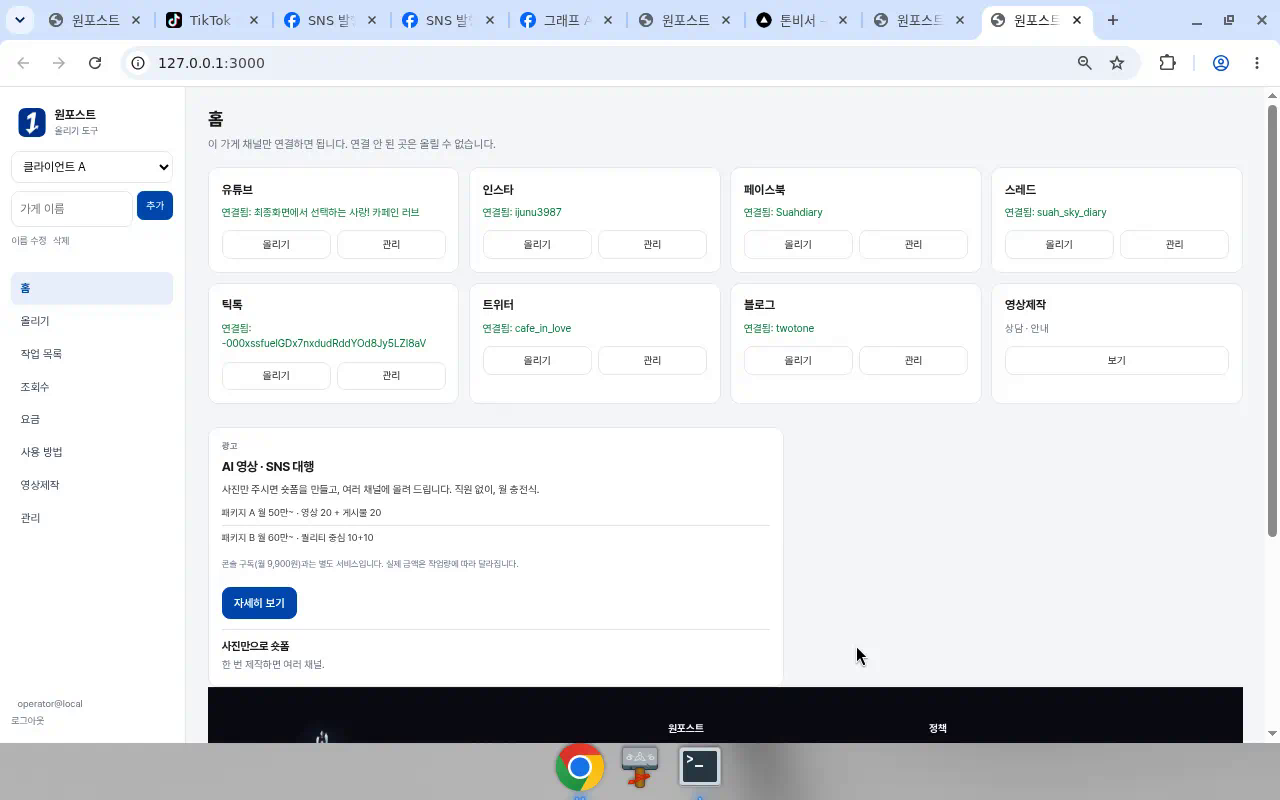
Select a store in the left menu and prepare your content in the center.
- Channels are connected per store. For example, connecting Store A’s YouTube channel applies to Store A only.
- Current pricing is per store.
3. Connect Channels
3Choose a channel from the tabs at the top, then select Connect in that tab.
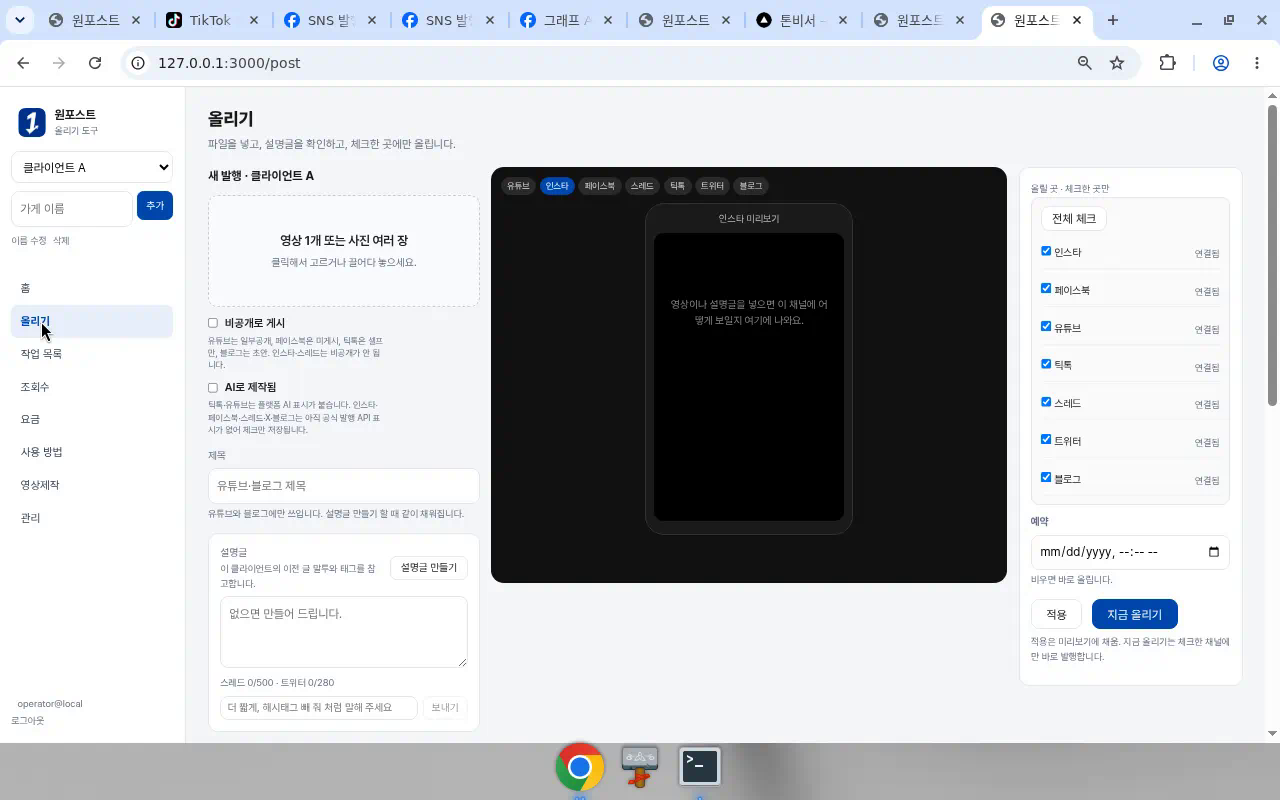
Connect each channel in its own tab: YouTube, Instagram, Facebook, Threads, TikTok, X, and Google Blogger.
Channels that support connecting and publishing: YouTube, Instagram, Facebook, Threads, TikTok, X (Twitter), and Google Blogger.
Pre-Review Restrictions
Only testers can connect Instagram, Facebook, and Threads before Meta approval. TikTok is also primarily limited to invited sandbox accounts until production approval.
Instagram · Facebook · Threads
For Instagram, open Settings → Apps and Websites and accept the tester invitation to complete the connection.
TikTok
Before approval, publishing may be limited to test accounts or private posts. Only videos are supported for now. Card news is pending.
Twitter (X)
You can connect X. Publishing requires X API credits. Publishing may fail if you run out.
YouTube · Blogger
Google verification is complete, so you can connect YouTube and Blogger without a warning. Your first YouTube upload may be unlisted.
4. Upload
4Add one video or card news (an image carousel) and a caption, then publish to the selected channels.
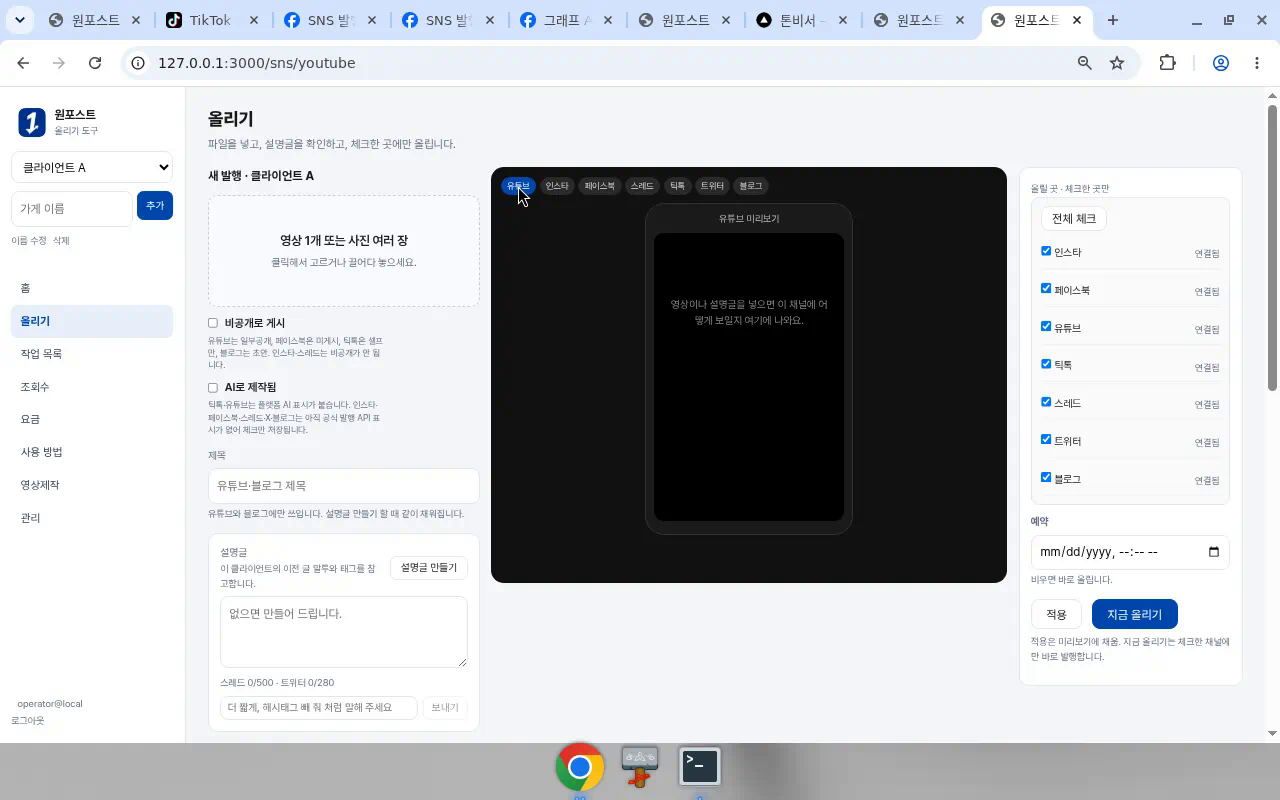
Add your file and caption, select your channels, and upload. Your content will publish only to the selected channels.
- The title is used only for YouTube and Blogger.
- Use Generate Caption to create a draft. Applying it updates the preview. Select Upload to publish.
- Threads has a 500-character limit, and Twitter has a 280-character limit. Text beyond the limit is cut off.
Turn on Publish as Private:
| Channel | Publish as Private |
|---|---|
| YouTube | Unlisted |
| Unpublished | |
| TikTok | Self-Service Only |
| Google Blogger | Draft |
| Instagram · Threads · Twitter | No Private Option |
YouTube Community (Posts) Macro
Community (Posts) is separate from YouTube video uploads. Videos go through the YouTube upload API, while Community text and images go to the channel’s Community (Posts) tab.
Check for the Tab on YouTube First
- Open your YouTube channel page or YouTube Studio.
- Check whether the channel shows a Community or Posts tab.
- YouTube enables the Community tab for eligible channels. If the tab is missing, check YouTube Studio or your channel settings for Community access. Only YouTube can enable it.
Use in OnePost
- Connect a YouTube channel that has the tab to OnePost, then use Community (Macro/Beta).
- Your YouTube channel must already have the Community tab before you can use it in OnePost.
Macro and Beta Information
Fully automated publishing is not yet guaranteed. Sign-in status or a CAPTCHA can interrupt the process and require manual confirmation.
Video Production
The Video Production tab at the top is for a separate managed service from your console subscription. For details, visit /agency or email support@1post.kr.
Pricing
- Free — 1 store · 15 publishes per month · X (Twitter) requires Starter
- Starter ₩9,900/month — 1 store · Unlimited publishing · X included
For a detailed comparison, see the Plans page. To pay, open Billing from the menu. Payments are made by card, and Starter renews automatically on the same day each month.
Unsupported Channels · Naver
Tistory and Lemon8 have no official upload APIs, so the console cannot publish to them.
- Naver Blog — No official API. The Later menu (Naver Pending) has a manual queue. Publish on Naver yourself, then mark the item as Done.
Business name: ETHER · Operator of OnePost (1post.kr)
Representative: Junwoo Lee · Business Registration No. 152-70-00639
Room 308, 3rd Floor, 11-41 Simin-daero 327beon-gil, Dongan-gu, Anyang-si, Gyeonggi-do (Gwanyang-dong)
Email support@1post.kr